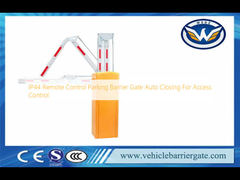
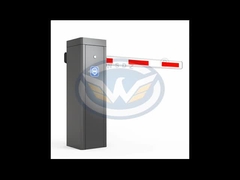
Brief: Join a quick walkthrough that focuses on what matters to users and operators. This video demonstrates the installation and operation of the Heavy Duty Sliding Gate Operator, showcasing its electronic soft-start function and intelligent obstacle detection for gates up to 1800kg. You'll see how to configure the control panel, test the safety features, and troubleshoot common issues for reliable automated access control.
Related Product Features:
Handles heavy-duty sliding gates with a maximum loading capacity of 1800kg for robust access control.
Features electronic soft-start technology for smooth, controlled gate acceleration and reduced mechanical stress.
Includes intelligent obstacle detection that automatically reverses the gate if an obstruction is encountered during closing.
Operates with a power supply range of AC220V/110V±10% 50/60Hz for global compatibility.
Equipped with magnetic limit switches for precise stopping and self-locking at open and close positions.
Comes with two remote controllers and a control panel for flexible operation via radio or wired control.
Designed for reliable performance in temperatures from -25 to +55 Celsius degrees and humidity up to 85%.
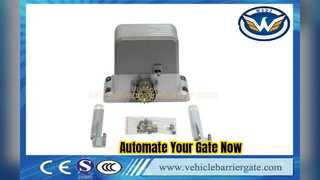
Includes a comprehensive kit with motor, base plate, magnets, and user manual for complete installation.
FAQs:
What should I do if the motor runs but the gate doesn't move?
Check whether the clutch is closed, as this is a common cause for the gate not moving despite the motor running.
Why is the crash proof (obstacle detection) feature not working?
Verify the correct connection of the crash proof system, ensure the photocell is installed properly, and check the wiring of the loop detector for any issues.
What causes the gate to reverse and open immediately after closing?
This can occur if the voltage is not normal or if the crash proof equipment is installed and detecting an obstruction; check both the voltage and the obstacle detection system.
Why does the remote control fail to operate the gate?
First, check if the battery is low and replace it if necessary. Then, ensure the remote control's code matches the code set on the control panel.